The industry standard for web design

When it comes to web design, there's only one serious option that most professionals use and that's Adobe Dreamweaver.

Top Recommended Alternative

An all round powerful web design suite

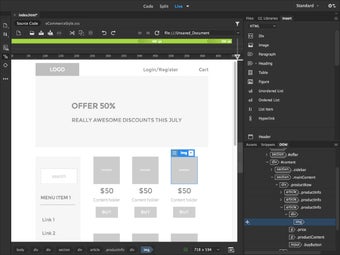
Adobe Dreamweaver 2014 is the latest incarnation of this all powerful web design program and doesn’t include big changes but rather many minor improvements that make your daily coding faster and easier. This new version of Adobe Dreamweaver includes new features such as Element Quick View, New editing capabilities in Live View, Live Insert to insert HTML elements directly into the Live Viewand a new useful Help Center.

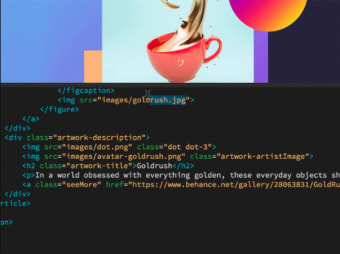
Like previous versions, Adobe Dreamweaver follows the WYSIWYG (What You See is What You Get) philosophy so you can see exactly what you're doing with every change in code. Alternatively, you can opt for a full code view or if you want your cake and eat it, see both at once in a split view. Inserting elements is a breeze offering you maximum flexibility to drag and drop or insert by code images, video, audio and more. You can easily shift and rearrange these elements until you're happy with the exact layout.

There are couple of ready made HTML and CSS style sheets included but you'll need a basic knowledge of CSS and HTML to get going with Dreamweaver. Adobe Dreamweaver is of course seamlessly integrated with the rest of Creative Suite. However, you can't export projects to other applications such as Photoshop and Illustrator for example.

Requires Creative Cloud subscription

The general interface of Dreamweaver hasn't changed a great deal but it's still very much a tool for professionals. To learn how to use it properly takes many months of learning. In addition, Like all of the Creative Cloud Suite, Adobe Dreamweaver requires an ongoing subscription to Creative Cloud in order to use it. This offers advantages in that you can edit on the move and your work is always synced and backed up to Creative Cloud. The disadvantage is that you are locked into Adobe's Creative Cloud subscription model.

Still one of the best on the market

Adobe Dreamweaver 2014 is another positive evolution of the web design industry reference tool and will is one of the best design suites out there to help you meet the demands of the next generation of web content.


  • Pros

    • Packed with powerful tools
    • Excellent multimedia integration
    • Support for many coding languages
    • Improved CSS inspection
    • Integration with WordPress, Joomla! etc
    • Writes good clean code
  • Cons

    • Lengthy installation process
    • Takes a while for beginners to get to grips with
    • Requires Creative Suite subscription
 0/3

App specs

  • License

    Trial version

  • Version

    2020-21.1.15413
  • Latest update

  • Platform

    Windows

    Other platforms (1)
  • OS

    Windows 8.1

  • Language

    English

    Available languages

    • German
    • English
    • Spanish
    • French
    • Italian
    • Dutch
    • Polish
    • Portuguese
    • Russian
  • Downloads

    2M

    Last month's downloads

    • 2.4K
  • Developer

Also available in other platforms

Program available in other languages


User reviews about Adobe Dreamweaver CC

3.4

6 reviews

Add review

Main reviews for you

  • Anonymous user

    It is a great application that all the functions a person can desire. it make work easier.

  • Anonymous user

    A good resource for professionals. For beginners it can be a somewhat complicated tool. Spaces such as Themes Generator can supply some of these characteristics.

  • Anonymous user

    A good resource for professionals. For beginners it can be a somewhat complicated tool. Spaces such as Themes Generator can supply some of these characteristics.

  • Anonymous user

    Yeah. it's very good. I am trying this and thing it's really good.

  • Anonymous user

    Good, excellent and amazing software. Very good software to work with it. I love the fact that is guides you towards coding.

  • Anonymous user

    Dreamweaver. Although DreamWeaver is still the top in Webpage HTML development, there are just as good free alternatives.For example, Notepad++, free from the internet does exactly the saem job if you want it to.So dont pay for something like dreamweaver when you can get something just as good for free Pros: Professional Cons: Expensive (for full version)

More

You may also like

Alternatives to Adobe Dreamweaver CC

Explore Apps

Related Articles

Latest articles

Laws concerning the use of this software vary from country to country. We do not encourage or condone the use of this program if it is in violation of these laws. Softonic may receive a referral fee if you click or buy any of the products featured here.